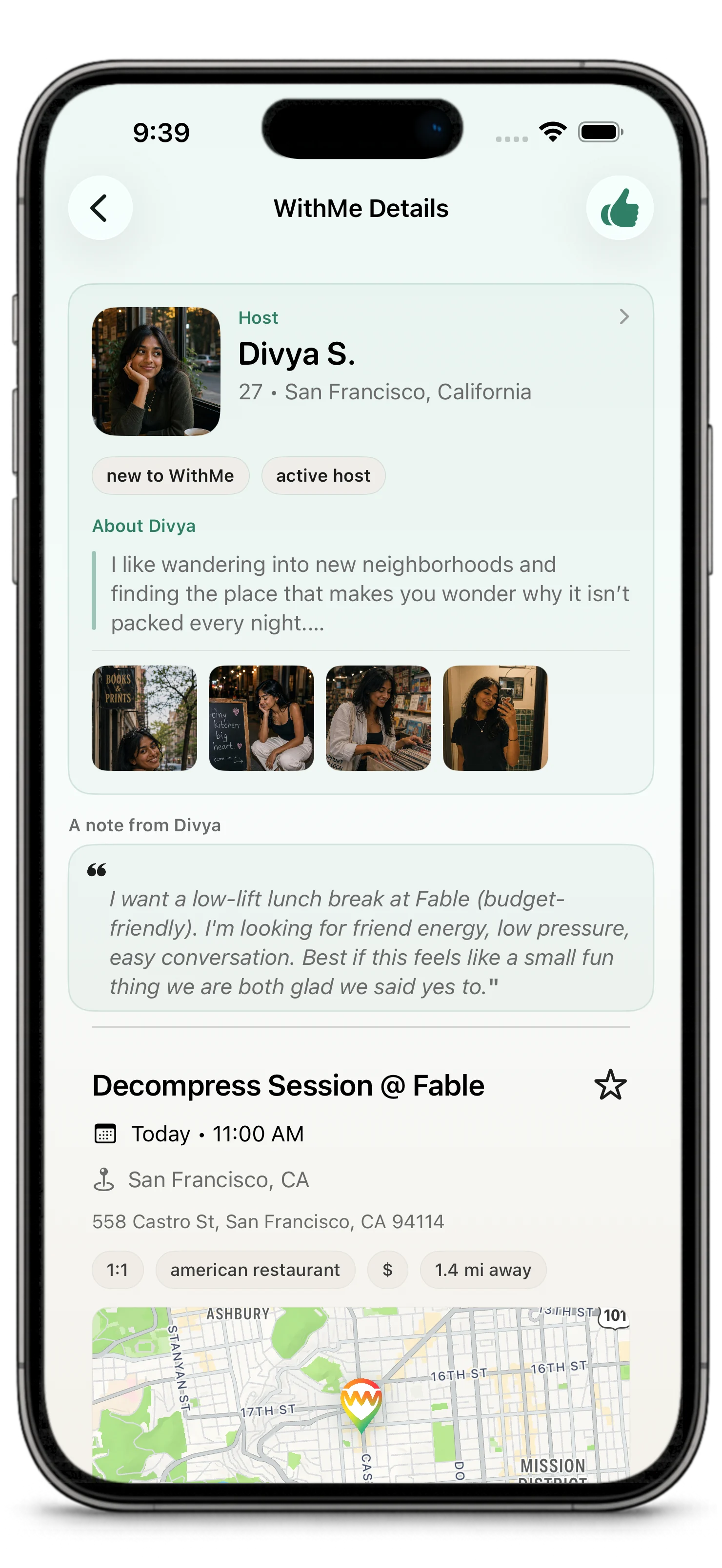
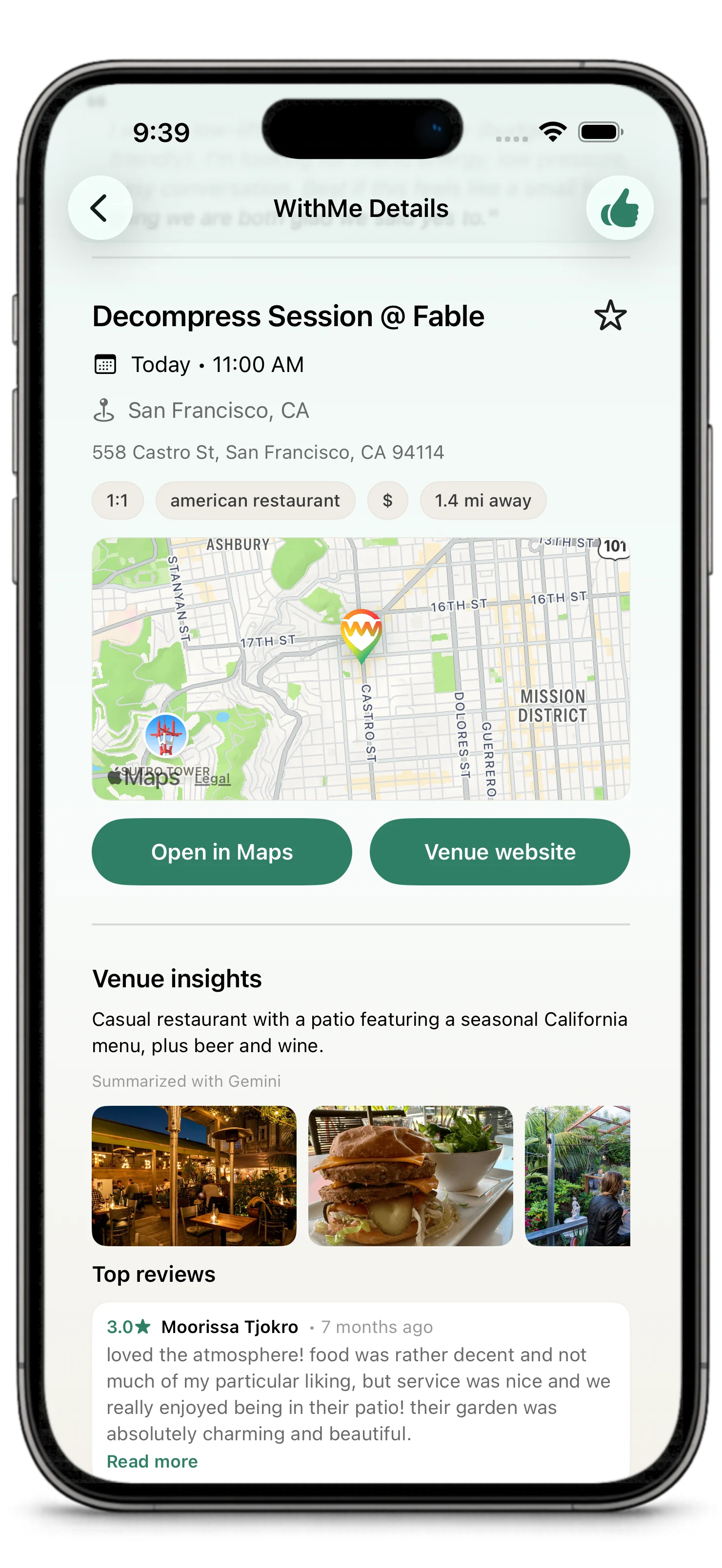
Creating a WithMe is how you stop waiting for a plan to appear.
You choose a venue, a time, a format, and enough context for someone else to decide whether they want to join. A good WithMe does not need to be elaborate. It needs to feel real.
Before You Create
A good WithMe answers four questions quickly:
- Where are we going?
- When are we going?
- Who is this for?
- What is the vibe?
You do not need to over-explain. The best plans feel specific, warm, and easy to picture.
Choose a Venue
Start with the place. The venue is what turns a loose idea into something people can evaluate.
A venue can be a restaurant, cafe, bar, park, activity spot, event location, or another real-world place. WithMe uses venue details to help people understand the plan and decide whether it fits.
If the venue has useful details such as photos, category, location, price level, or rating, those may appear in the plan detail.
Some venue signals can come from WithMe itself. After completed plans, participants may review the venue, and those ratings can help future hosts choose places that work well for real WithMes.
Choose a Time
Pick a realistic time that gives people enough notice and keeps the plan close enough to feel alive.
Time matters because WithMe is built around real follow-through. Plans should feel possible, not hypothetical.
WithMes are intentionally near-term. New plans must start at least 3 hours from now and no more than 7 days from now. Think tonight, tomorrow, or this weekend, not a month from now.
Interest and host choice also have a deadline. The host needs to choose who joins before the WithMe closes for selection, which is generally 1 hour before the plan starts.
Choose Public or Private
Public WithMes are for discovery.
Private WithMes are for invitation. They can be shared through a secure WithMe app link so invited people can open the plan directly.
Use public when:
- you are open to interest from people nearby
- you want the plan to appear in discovery
- you want people outside your immediate circle to find it
Use private when:
- you already know who you want to invite
- the plan is meant for a specific person or group
- you want to share the plan through text, chat, email, or another app
Read more in Public and Private Plans.
Choose One-on-One or Group
A one-on-one WithMe is built around one host and one selected guest.
A group WithMe lets the host bring multiple people into the plan, depending on the plan settings and available spots.
The flow is similar in both cases: people express interest, then the host chooses who joins.
Set the Social Intent
Some plans are for friends. Some are for dating. Some are open-ended social plans.
The intent helps people understand the context before they express interest. It should describe the kind of connection the host is open to, not guarantee what will happen.
Write a Host Note
The host note is where the plan starts to sound like you.
Good host notes are specific:
- "I have been wanting to try this spot and would love easy conversation over dinner."
- "Keeping this casual: coffee, a walk nearby, and no pressure."
- "Small group plan for people who want to try a new place without making it a whole production."
Avoid notes that are too vague:
- "Anyone down?"
- "Let's hang."
- "Whatever."
The note does not need to be clever. It just needs to make the plan easier to trust.
Publish or Share
After creating the WithMe:
- public plans can appear in discovery surfaces
- private plans can be shared with a secure app link
- the plan appears in your WithMes area
- interested people can appear for host review
After You Create
As the host, your job is to keep the plan legible: review interested people, choose who joins, use chat after confirmation, and make changes clearly when needed.
Host selection confirms the WithMe. Selected guests do not have to confirm a second time.
After the WithMe is completed, participants may be asked to review the venue. That feedback helps future users, improves venue quality signals, and can shape future suggestions.
Creating With Iyo
Iyo may appear while you create a WithMe. Iyo is WithMe's in-app concierge for real plans: a guided product agent that can help with the draft you are building, not a generic chatbot.
Iyo can help you think through the plan, refine the note, adjust the venue or timing, or decide what next step makes sense.
Iyo is there to support the WithMe you are working on, not to replace your judgment as the host.