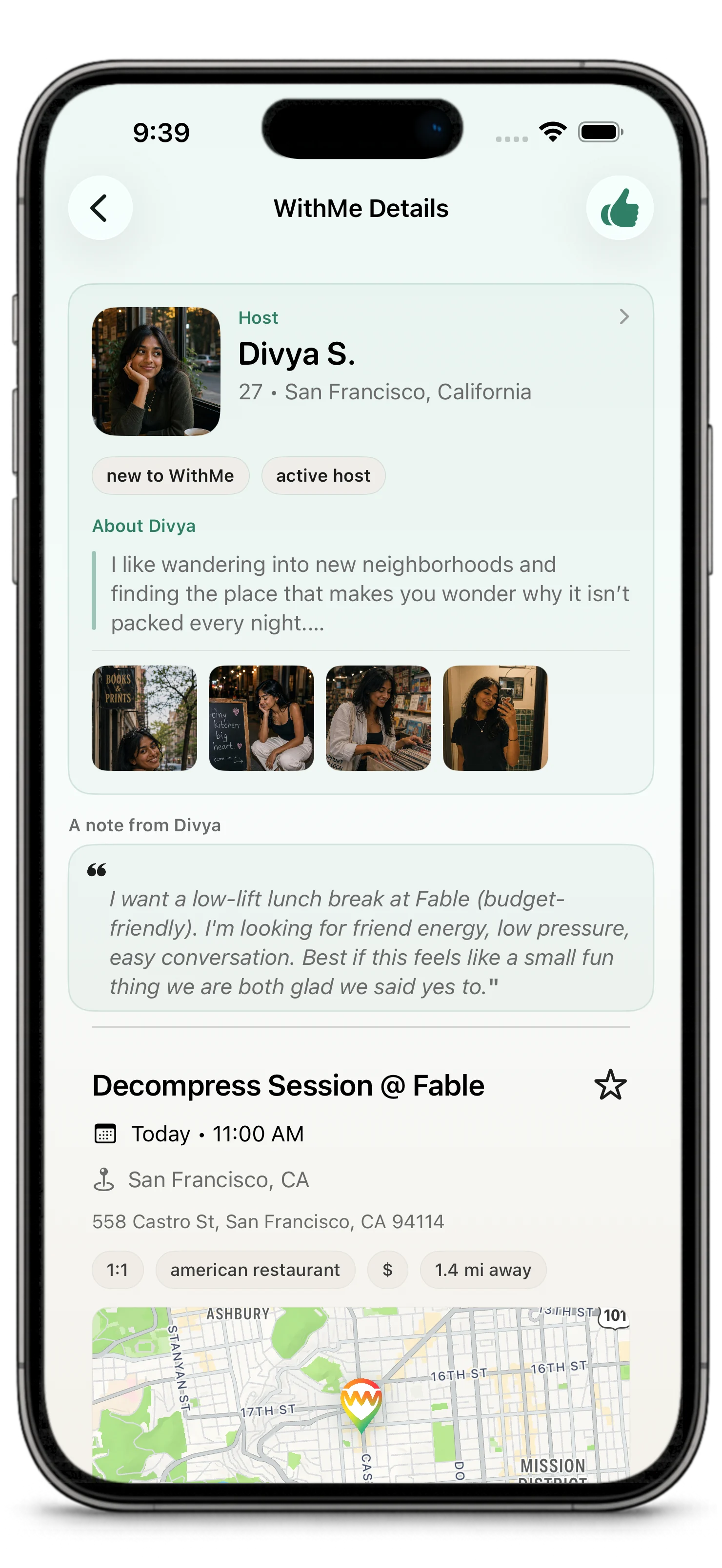
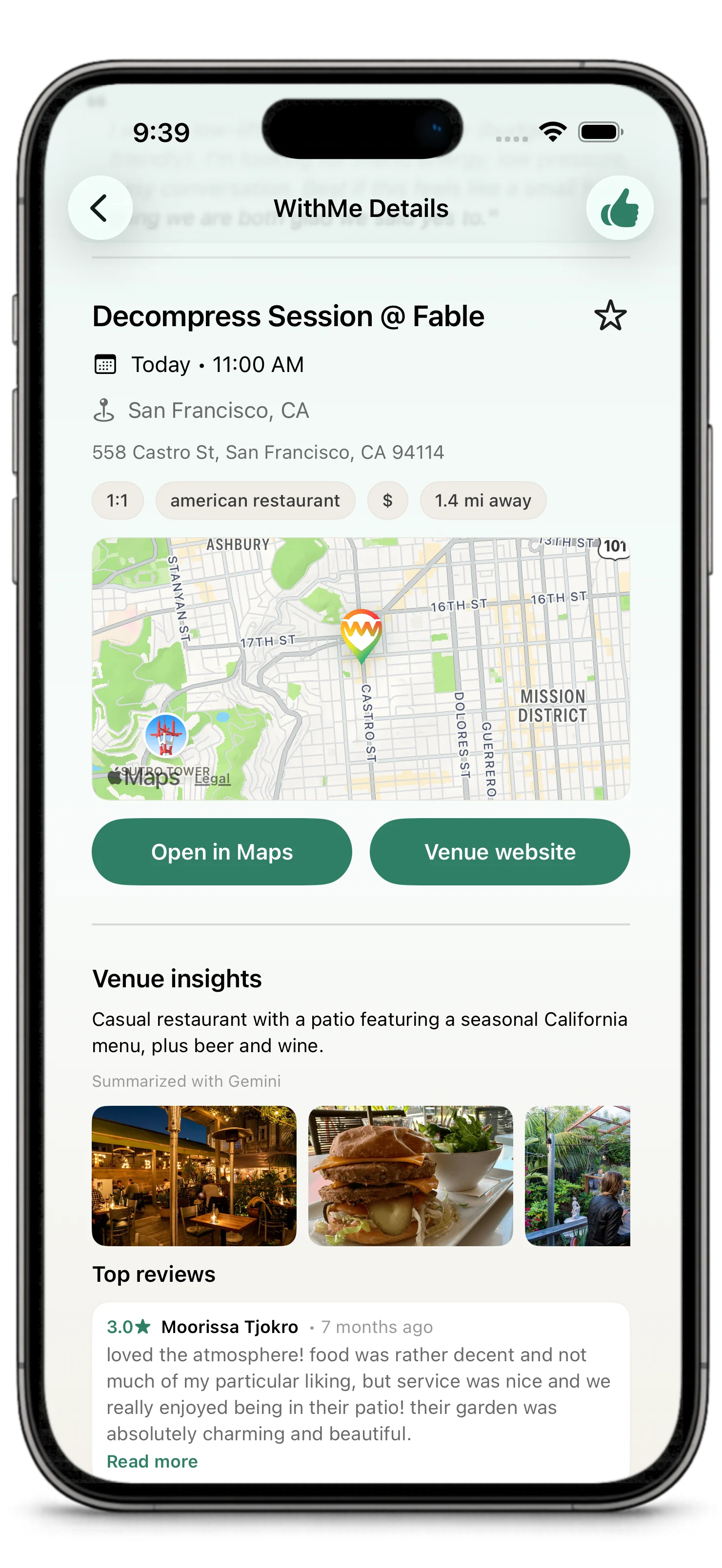
WithMe works best when your profile, preferences, and first plan all give people something real to respond to.
This guide gets you oriented quickly: set up your account, understand the main app areas, then either discover a plan or create one of your own.
For the bigger product idea, start with What is WithMe?.
Create or Sign In to Your Account
When you open WithMe, sign in or create an account.
After account creation, the app may ask you to verify your email before you can use the main experience. Verification helps protect the community and keeps plans connected to real accounts.
Complete Your Profile
Your profile is part of the plan.
Before someone expresses interest or chooses you as a guest, they are trying to answer a simple question: does this feel comfortable, clear, and worth showing up for?
You may be asked for:
- name
- photos
- location
- short bio or profile details
- interests and vibes
- preferences
- notification settings
Use details that help people make a good decision. A strong profile is not about performing. It is about giving enough honest context that a host or guest can tell whether the plan feels right.
Learn the Main App Areas
Discover
Browse public WithMes and nearby plans. This is where you can find plans hosted by other people.
For You
See suggested people, plans, venues, and favorite places shaped by your profile, preferences, location, place interests, and activity.
Create
Start a new WithMe. Pick a venue, time, privacy setting, group size, intent, and host note.
WithMes
Track the plans you are hosting, interested in, confirmed for, or have completed. Use Next 7 Days inside WithMes when you want a day-by-day agenda of upcoming confirmed plans, open WithMes, host decisions, and interests.
Inbox
Find conversations, updates, and items that may need attention.
Profile
Manage your profile, photos, preferences, settings, and trust/safety controls.
Your First WithMe
There are two natural ways to begin: join momentum that already exists, or create the plan you wish someone else had posted.
You can discover an existing WithMe:
- Open Discover or For You.
- Read the plan details.
- Review the venue, time, host, and notes.
- Express interest if you want to join.
You can create your own WithMe:
- Open Create.
- Choose a venue and time.
- Decide whether the plan is public or private.
- Add a host note that explains the vibe.
- Publish it or share it with a secure app link.
WithMes are near-term by design. New plans must start at least 3 hours from now and no more than 7 days from now.
After you publish a plan or express interest in one, check WithMes to follow its stage. If it falls in the near-term window, it can also appear in Next 7 Days.
Public or Private
Public plans can be discovered by eligible people in the app.
Private plans are invite-led. You share them with a secure WithMe app link, so invited people can open the plan directly in WithMe without making it broadly discoverable.
Read more in Public and Private Plans and Sharing Secure App Links.
What Happens After Interest
When someone expresses interest, the host reviews interested people and chooses who joins.
When the host chooses someone, the WithMe is confirmed. Guests do not need to accept again after being selected.
After confirmation, chat opens so everyone can coordinate the plan. Chat closes for new messages after the WithMe is done or no longer active.
After a completed WithMe, the app may ask participants to review the venue. Those ratings help the community understand which places are good for real plans and help WithMe make better venue suggestions over time.
Tips for a Good Start
- Start with a real venue and a realistic time.
- Add a host note that sounds like a person, not a form.
- Choose public when you want discovery.
- Choose private when you already know who you want to invite.
- Keep your profile current so people can make informed decisions.
- Use reporting and blocking tools when something feels off.