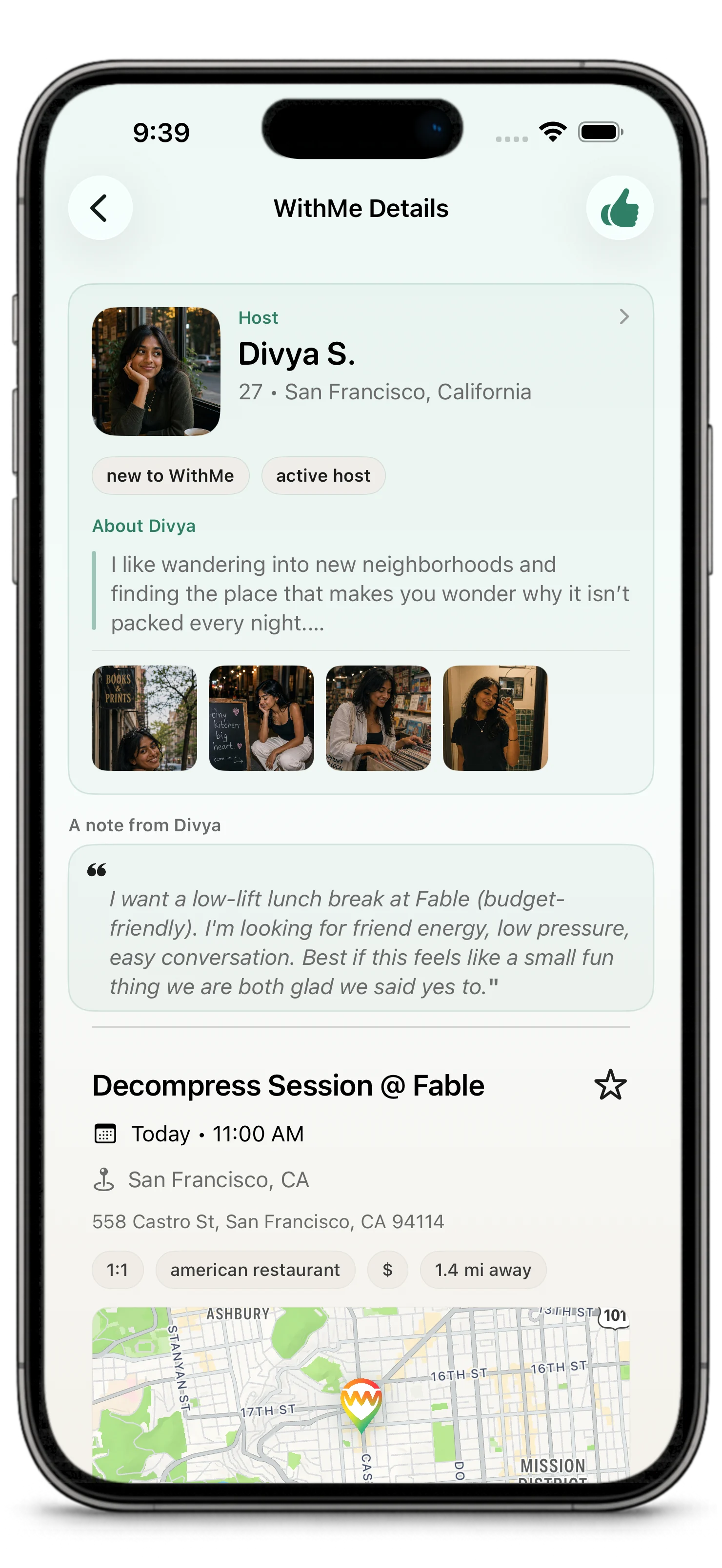
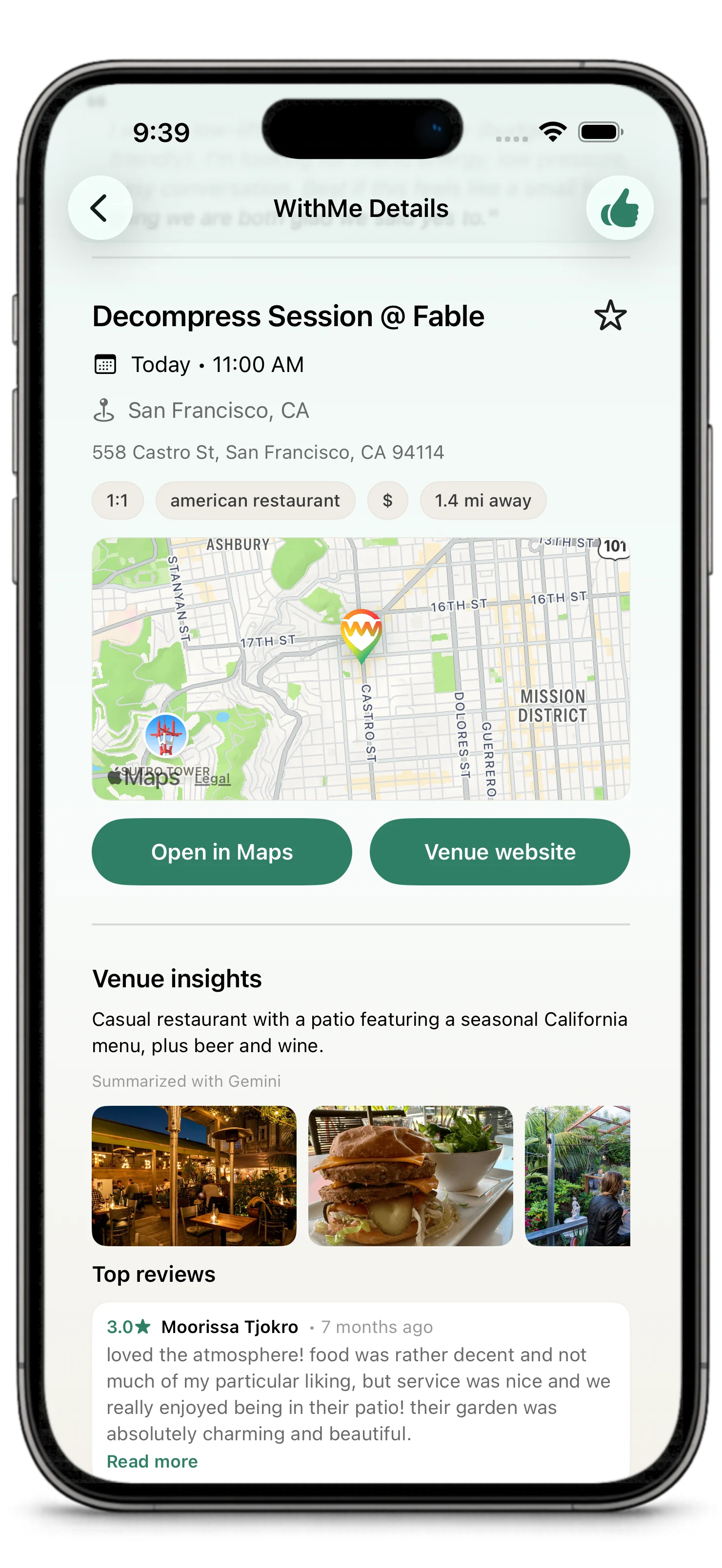
Hosting is the part of WithMe where intent becomes leadership.
You create the plan, make it clear enough for people to understand, review the interest that comes in, and choose who joins. Good hosting is not about control for its own sake. It is about making the plan easier to trust and easier to follow through on.
What Hosts Control
Hosts choose:
- venue
- time
- public or private visibility
- one-on-one or group format
- social intent
- host note
- who joins
Hosts can also use updates, chat, and plan actions to keep a WithMe moving when the real world gets messy.
Reviewing Interest
When people express interest, review the information available in the app:
- their profile
- their photos and bio
- their interest note or context
- the plan's group size and intent
- whether the overall fit feels right
You do not need to choose the first person who expresses interest. Choose the person or group that makes the plan feel most likely to work well.
WithMes are time-sensitive. Interest and host choice generally close 1 hour before the plan starts, so hosts should make a decision while there is still enough time for everyone to coordinate.
Host Nudges
An interested guest may be able to send you one nudge while they are waiting for your decision.
That nudge is a reminder, not an obligation. It means the guest is still interested and wants you to choose before the WithMe closes. Use the same judgment you would use for any interested guest: review the profile, interest context, timing, and plan fit before deciding.
Each interested guest can only nudge once for the same WithMe.
Choosing Guests
When you choose a guest for a one-on-one WithMe, the plan becomes confirmed with that guest.
When you choose guests for a group WithMe, the plan becomes confirmed with the selected group, depending on capacity and plan settings.
Host selection is final for the main lifecycle. Guests do not need to accept again after being selected.
Auto-Pick
Auto-pick lets WithMe help the host choose from interested guests using the same ranked-applicant logic used in the review flow.
For one-on-one WithMes, auto-pick waits until the plan has enough interested guests for the configured threshold, then selects the top-ranked eligible guest. That selection confirms the WithMe.
For group WithMes, auto-pick is intentionally capacity-aware. It waits until there are enough interested guests to fill the remaining open spots plus one extra person. The extra person gives the ranking system a real choice instead of simply filling every open seat from exactly the available interested guests. Auto-pick then adds the top-ranked guests up to the remaining capacity.
Auto-pick does not remove host judgment. Hosts can still review guests manually, turn auto-pick off while the plan is open, or choose guests themselves.
After Confirmation
After a WithMe is confirmed:
- chat opens for coordination
- participants can see the confirmed plan details
- notifications and updates help keep the plan moving
- day-of actions or check-ins may appear when relevant
Keep the conversation practical. Confirm timing, clarify anything important, and make it easy for people to show up.
After the WithMe is done or no longer active, chat closes for new coordination. You may still be able to see the conversation history, but completed, cancelled, disputed, no-show, or expired plans are no longer open for normal chat.
If Plans Change
Real plans sometimes change.
If you need to adjust something, use the available plan actions in WithMe. Depending on the situation, you may be able to update details, propose a new time, cancel, or communicate through chat.
Be clear and timely. A quick update is better than letting uncertainty sit.
Good Hosting Habits
- Pick a venue people can understand quickly.
- Choose a time that gives people enough notice.
- Write a host note with real context.
- Review profiles before choosing.
- Use private links thoughtfully.
- Communicate changes as early as possible.
- Use reporting or blocking if something feels unsafe or inappropriate.